

Adverts inside your operating system are a rarer beast, yet not as unusual as they once were. You expect to see adverts everywhere on the internet.
Advertisements have been seen by Windows 11 Pro and Home users on the Start menu of the operating system recently.
These advertisements included advertisements for “recommended” applications and websites beneath the list of applications that have been installed.
When you launch the Settings app, you will be confronted with a massive advertisement for Office 365 if you are not a subscriber to the service.
This is not a particularly surprising move, considering that the corporation has also begun pushing advertisements to the lock screen of Windows 11.
In addition, Microsoft has been promoting advertisements for Bing within Google Chrome.
Up until this point, it seems that the update to the Start Menu is only being seen in the most recent preview builds that are accessible to Windows 11 Insiders.
As a result, it is feasible that it will not be included in the consumer edition of Windows 11 if the response to it is sufficiently negative (and loud).
There have been advertisements and accompanying descriptions for applications such as 1Password, which are based on photos that have been published in reports from Windows Central and other sources.
In addition to the other recommended applications and papers that Microsoft feeds to your Start menu, they present themselves there.
Also Read Our Article On “Why Your Laptop Has Slowed Down, and How to Fix It“
How to disable advertisements on the Start Menu in Windows 11
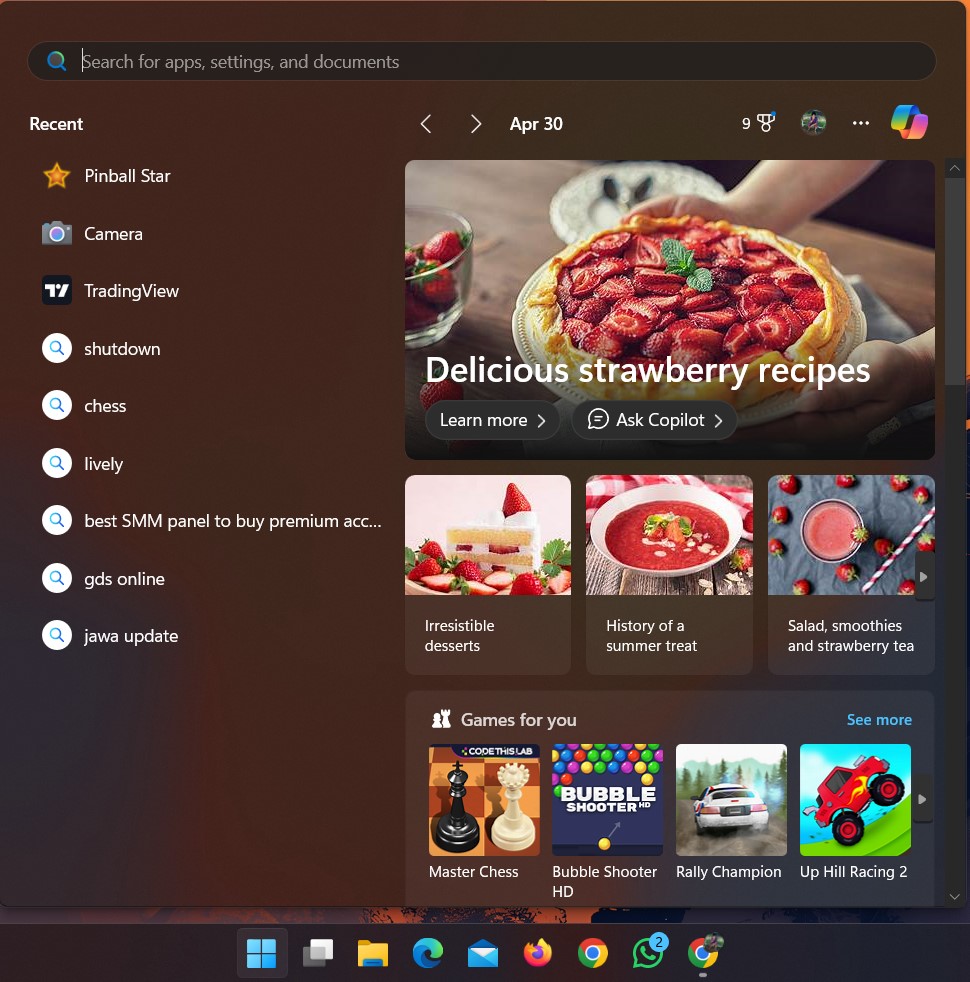
Windows Insiders have also discovered a new option under Settings > Personalization > Start that allows you to toggle off “Show recommendations for tips, app promotions, and more.”
This is a fortunate development because it appears that you will have the ability to disable these advertisements in the event that Microsoft decides to continue to use them.
Microsoft has made a number of attempts in recent years to incorporate adverts into its operating system. This is only one of many attempts; many people have been fighting against this move for years.
Dealing with adverts in an operating system you have paid a lot of money for is not a good look, and Windows is not a cheap operating system. Turning them off now could be possible, but it doesn’t mean you will always be able to.